
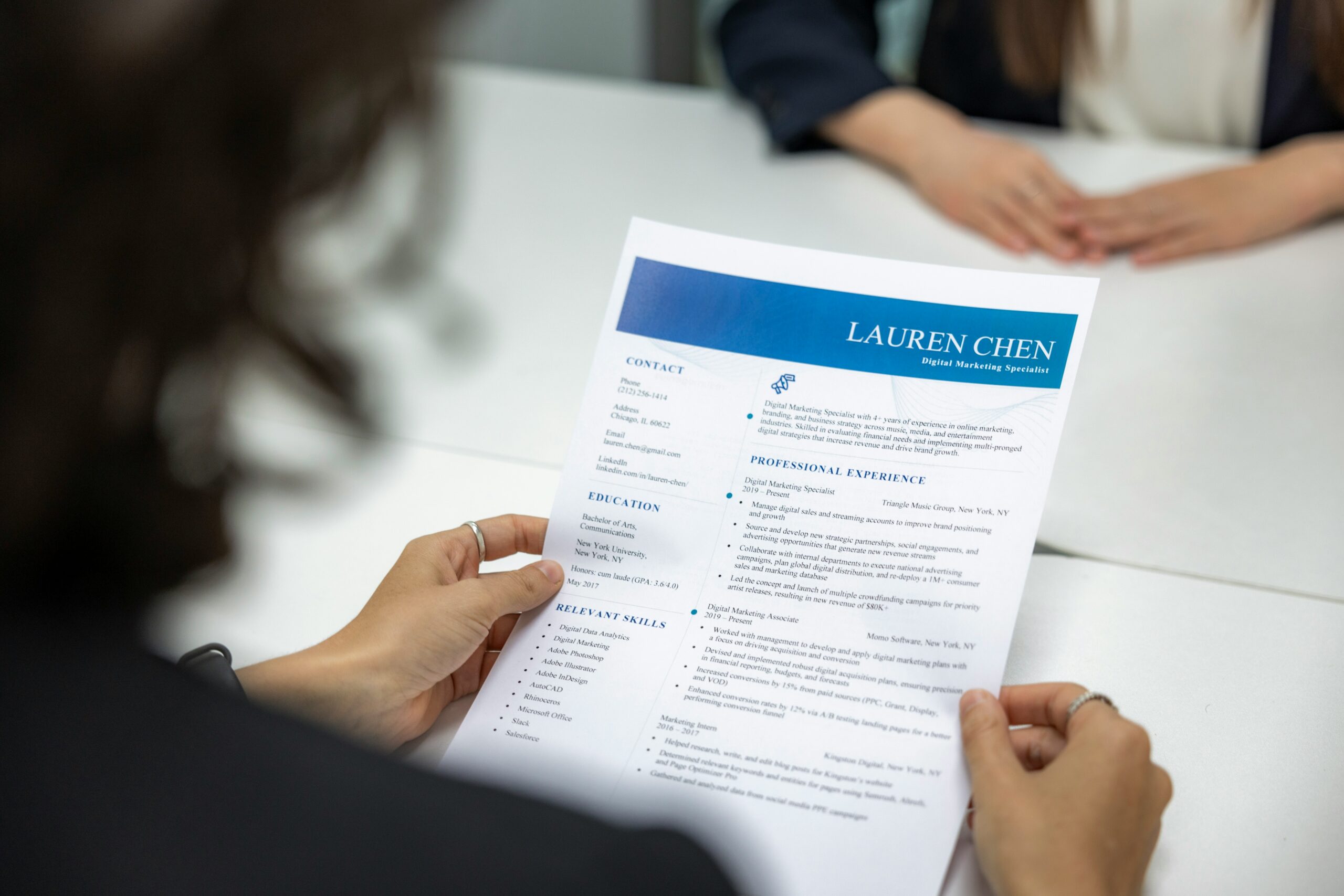
A resume is one of the most important documents in your job search journey. It is often the first thing an employer sees before deciding whether to invite you for an interview. A strong resume can open doors to opportunities, while a weak one may cause your application to be ignored.
The good news is that creating a professional resume does not require expensive software or professional design skills. In 2026, there are many free tools and resources that allow anyone to build a high-quality resume.
Many job seekers believe they need years of experience to create a good resume. This is not true. Even beginners, students, and fresh graduates can create resumes that look professional and attract employers.
In this guide, you will learn how to create a professional resume for free and improve your chances of getting hired.
Why a Resume Is Important
A resume is more than just a list of jobs you have done. It is a marketing document that presents your skills, experience, education, and achievements.
Employers receive hundreds of applications for some positions. Since they cannot interview everyone, they use resumes to identify the most suitable candidates.
A well-written resume can help you:
- Get more interviews
- Show your skills clearly
- Create a professional first impression
- Stand out from other applicants
- Increase your chances of getting hired
Because of this, investing time in your resume is one of the smartest things you can do during a job search.
What Employers Look for in a Resume
Before creating your resume, it is helpful to understand what employers want to see.
Most employers focus on:
- Relevant skills
- Work experience
- Education
- Achievements
- Professional presentation
They want to quickly understand whether you are a good fit for the position.
A resume should make this information easy to find and easy to understand.
Choose a Simple Resume Format
Many people think a resume must have fancy graphics and complex designs.
In reality, employers usually prefer simple and professional layouts.
A clean format offers several advantages:
- Easy to read
- Professional appearance
- Compatible with applicant tracking systems
- Focuses attention on content
Simple resumes often perform better than overly decorative ones.
Essential Sections Every Resume Should Include
A professional resume should contain several important sections.
Contact Information
Start with your basic contact details.
Include:
- Full name
- Phone number
- Email address
- City or location
- Professional profile links (if applicable)
Make sure all information is accurate and up to date.
Professional Summary
A professional summary is a short introduction placed near the top of your resume.
It should briefly explain:
- Who you are
- Your experience level
- Key strengths
- Career goals
For example:
“Motivated and detail-oriented professional with strong communication skills and a passion for customer service. Seeking opportunities to contribute to a growing organization while continuing to develop professional skills.”
Keep this section concise and relevant.
Skills Section
Employers often review the skills section quickly.
Include skills that match the job you are applying for.
Examples include:
- Communication
- Customer service
- Time management
- Problem-solving
- Microsoft Office
- Data entry
- Project management
Focus on skills that are useful and relevant.
Work Experience
If you have previous work experience, list it clearly.
For each position include:
- Job title
- Company name
- Employment dates
- Key responsibilities
- Achievements
Instead of simply listing duties, explain what you accomplished.
For example:
Instead of:
“Answered customer emails.”
Write:
“Responded to customer inquiries and helped maintain high customer satisfaction.”
This sounds stronger and more professional.
Education
Include your educational background.
Provide:
- School, college, or university name
- Degree or qualification
- Graduation year
Even if you are a student or recent graduate, education remains an important section.
What If You Have No Work Experience?
Many beginners worry because they have little or no professional experience.
The good news is that employers understand that everyone starts somewhere.
If you have no work experience, focus on:
Academic Projects
School and university projects can demonstrate useful skills.
Volunteer Work
Volunteer activities show responsibility and commitment.
Internships
Even short internships can strengthen your resume.
Personal Projects
Personal projects can demonstrate initiative and practical skills.
Employers often value potential and enthusiasm, especially for entry-level positions.
How to Make Your Resume Stand Out
Competition can be strong, especially for remote and entry-level jobs.
Here are some ways to make your resume more effective.
Use Action Words
Strong action words create a better impression.
Examples include:
- Managed
- Organized
- Created
- Developed
- Coordinated
- Improved
- Supported
These words make achievements sound more impactful.
Highlight Achievements
Whenever possible, focus on results.
Employers appreciate measurable accomplishments.
For example:
- Increased customer satisfaction
- Improved efficiency
- Completed projects successfully
- Assisted with team goals
Achievements demonstrate value.
Keep It Relevant
Avoid including unnecessary information.
Focus on details that support your application.
A targeted resume is often more effective than a lengthy one.
Free Tools for Creating a Resume
One of the best things about 2026 is the availability of free resume-building tools.
Several platforms allow users to create professional resumes without spending money.
Canva
Canva offers free resume templates that are easy to customize.
Benefits include:
- Professional designs
- User-friendly interface
- Download options
- Modern layouts
Google Docs
Google Docs provides free resume templates that work well for most job applications.
Advantages include:
- Easy editing
- Cloud storage
- Professional appearance
- Accessibility
Microsoft Word
Many free templates are available within Microsoft Word.
These templates can help you create a clean and organized resume quickly.
Common Resume Mistakes to Avoid
Even small mistakes can hurt your chances.
Spelling and Grammar Errors
Employers may view errors as a sign of carelessness.
Always proofread carefully.
Too Much Information
Avoid adding unnecessary details.
Keep content focused and relevant.
Using an Unprofessional Email Address
Create a professional email address using your name whenever possible.
Poor Formatting
Messy layouts can make resumes difficult to read.
Use consistent formatting throughout.
False Information
Never exaggerate or provide inaccurate information.
Honesty is always the best approach.
Should You Customize Your Resume?
Yes.
Customizing your resume for each job application can significantly improve results.
Review the job description and adjust:
- Skills section
- Summary
- Relevant experience
Employers appreciate candidates who take time to tailor applications.
The Role of AI in Resume Building
AI tools are becoming increasingly popular for resume creation.
Many job seekers use AI to:
- Improve wording
- Create summaries
- Suggest skills
- Fix grammar
- Optimize formatting
AI can be helpful, but always review the final document carefully.
Your resume should reflect your actual experience and abilities.
How Long Should a Resume Be?
For most job seekers:
- One page is ideal for beginners
- Two pages may be acceptable for experienced professionals
Employers prefer concise resumes that are easy to review.
Focus on quality rather than length.
What Happens After You Submit Your Resume?
Submitting a resume is only the first step.
After applying:
- Monitor your email regularly
- Prepare for interviews
- Continue applying for other positions
- Improve your skills
Job searching often requires patience and consistency.
Final Thoughts
Creating a professional resume for free in 2026 is easier than ever. With the help of modern tools and simple templates, anyone can build a strong resume without spending money.
Focus on presenting your skills, experience, and achievements clearly. Use a clean format, proofread carefully, and customize your resume for each application.
Remember that a resume is often your first opportunity to make a positive impression on an employer. By investing time and effort into creating a professional document, you can improve your chances of getting interviews and moving closer to your career goals.
A great resume does not need to be complicated. It simply needs to communicate your value clearly and professionally.